The process of virtualization is the black box behind the innovation of modern cloud computing. It enables one physical machine to act as many, isolates work loads, provides the flexibility that vendors akin to architects to scale, secure and optimise resources. We will take through the key variations of virtualization you will encounter in the cloud world, contrast them and contrast them and compare the two, discuss when to use what and provide some real-world advantages, disadvantages and best practices – all in a clear and human voice ready to be published.
What is virtualization?
Virtualization refers to the process of making something, be it of a server, storage, network, desktop or even module, virtual (not physical). Unlike having each machine encouraging a single OS, virtualization enables a number of isolated environments to use a single hardware safely and most effectively.
Imagine that it is like renting rooms within one house. Every tenant believes that he or she owns their own apartment when in actual fact the heating system, plumbing and power is common under the floorboards.
Why virtualization matters in cloud computing
- Density & efficiency: Run multiple workloads on the same physical hardware, improving utilization.
- Isolation & security: Faults and attacks can be contained to one virtual environment.
- Speed & agility: Provisioning virtual resources is typically fast — minutes instead of days.
- Portability & scalability: Move and scale workloads across hosts, data centers or cloud providers.
- Cost control: Pay for what you use and map costs to virtual resources rather than fixed servers.
The main types of virtualization
- OS-level virtualization (containers and container orchestration)
- Server / hardware virtualization (virtual machines, hypervisors)
- Desktop virtualization (VDI)
- Application virtualization (sandboxed or streamed apps)
- Storage virtualization (SDS, SAN virtualization)
- Network virtualization (SDN, overlays, NFV)
- I/O / device virtualization (SR-IOV, passthrough)
- GPU and accelerator virtualization
We’ll unpack each and then provide decision-making guidance and operational checklists.
Quick comparison
| Type | Isolation | Startup | Density | Typical use cases |
| Virtual Machines (hypervisor) | Full OS boundary — strong | Minutes | Moderate | Legacy apps, strict compliance, multi-tenant IaaS |
| Containers (OS-level) | Kernel shared, namespace-based | Seconds | High | Microservices, CI/CD, cloud-native apps |
| Application virtualization | App sandboxed | Seconds | High | Legacy desktop apps, app-streaming |
| VDI (desktop) | User-session isolation | Seconds–Minutes | Variable | Remote desktops, secure workspaces |
| Network virtualization | Logical networks over physical | N/A | N/A | Multi-tenant networking, microsegmentation |
| Storage virtualization | Abstracts disks into pools | N/A | N/A | Tiering, replication, scalable block/object stores |
| GPU virtualization | Device slices or passthrough | Depends | Variable | ML, graphics, HPC |
| I/O virtualization (SR-IOV) | Near-native access | N/A | N/A | Low-latency networking, NVMe access |
Server / Hardware Virtualization (Virtual Machines)
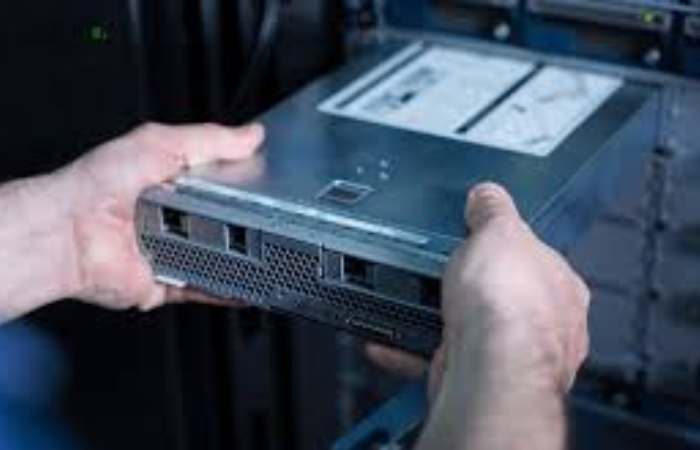
What it is. VMs run a full guest operating system on top of a hypervisor that allocates CPU, memory, storage and devices. Hypervisors come in two flavors: Type-1 (bare-metal) — runs directly on hardware; and Type-2 — runs on a host OS.
Why is it used? VMs provide strong isolation. Each VM is its own little server with a private kernel, making VMs ideal where compliance, multi-tenancy, or legacy software dependencies are required.
Operational aspects (practical):
- Provision VM images with minimal apps and use configuration management (Ansible, cloud-init) for bootstrapping.
- Keep templates small and version-controlled.
- Use live migration and snapshots judiciously — snapshots are convenient but not a substitute for systematic backups.
Tradeoffs. Overhead comes from running multiple kernels and device emulation. Density is lower than containers but isolation and OS-level compatibility are higher.
OS-level Virtualization (Containers)
What it is. Containers share the host kernel but isolate processes using cgroups and namespaces. Images are layered and immutable artifacts.
Why it’s used. Containers are lightweight, start fast, and maximize density. They are the natural fit for microservices and modern cloud-native designs.
Operational aspects (practical):
- Use a trusted base image, scan images for vulnerabilities, and keep layers minimal.
- Adopt an orchestration platform (Kubernetes) for production scale: declarative deployment, self-healing, rolling updates.
- Use resource limits (CPU, memory) and request settings to avoid noisy-neighbor issues.
Security considerations. Shared kernel means kernel vulnerabilities can potentially affect all containers. Use runtime controls (seccomp, AppArmor/SELinux), image signing, and least-privilege container users.
Application Virtualization
What it is. Instead of virtualizing the whole OS, app virtualization isolates the app or streams it to clients. The app believes it has its own environment while sharing the host OS.
Use cases. Useful for running legacy desktop apps on modern systems, or streaming apps to thin clients without full VDI infrastructure.
Practical tips. Verify compatibility layers, keep app profiles small, and monitor licensing constraints that often come with legacy apps.
Desktop Virtualization (VDI)
What it is. Virtual desktops are hosted centrally and delivered over protocols like RDP or PCoIP. Back-end can be VMs or session host farms.
Why it’s used. Centralized management of corporate desktops, easier patching, secure access for remote workers and contractors.
Operational notes. Plan for graphics acceleration (GPU) if users need rich multimedia. Use FSLogix or profile containers to handle user profiles at scale. Network latency and bandwidth heavily influence user experience.
Network Virtualization (SDN, NFV, overlays)
What it is. Logical networks and functions (routing, firewalling, load balancing) are created via software on top of physical networks. SDN separates control and data planes; NFV virtualizes network functions. https://www.ibm.com/think/topics/virtualization
Why it’s used. Fast tenant network provisioning, microsegmentation, policy-as-code and better automation.
Troubleshooting tips. Overlay tunnels (VXLAN) can introduce MTU/fragmentation issues—test with your actual workloads. Keep a mapping of overlays to physical topology to troubleshoot packet flows.
Storage Virtualization
What it is. Storage virtualization creates logical volumes from physical disks, sometimes across multiple nodes, supporting thin provisioning, replication and snapshots.
Why is it used? To present flexible, scalable storage (block, file, object) that can be consumed by VMs and containers without worrying about underlying disk details.
Operational tips. Match storage characteristics—IOPS, latency and durability—to workload needs. Use cache tiers and monitor tail-latency. Test failover and recovery repeatedly.
GPU & Accelerator Virtualization
What it is. GPUs and specialized accelerators can be shared (vGPU) or dedicated passthrough. Sharing allows multiple tenants to run workloads on the same physical GPU.
Why it’s used. Enables ML, rendering and high-end VDI in virtual environments.
Operational tips. Confirm driver compatibility across hypervisor and guest OS. Measure contention and plan for bursty usage; sometimes dedicated accelerators are simpler for predictable performance.
I/O and Device Virtualization (SR-IOV, passthrough)
What it is. Techniques like SR-IOV let devices create virtual functions that the hypervisor assigns to VMs, giving near-native device access.
Why it’s used. For ultra-low latency or very high throughput network and storage workloads.
Constraints. Live migration and flexibility are harder with device passthrough and SR-IOV; plan infrastructure topology with this in mind.
Detailed comparison: VMs vs Containers (practical view)
| Concern | Virtual Machines | Containers |
| Kernel | Guest kernel per VM | Shared host kernel |
| Boot & deploy | Slower, full OS | Fast, image-based |
| Isolation | Strong | Good, but shared kernel |
| Density | Lower | Higher |
| Troubleshooting | OS-level tools | Requires container-aware tools |
| Good for | Legacy, compliance | Microservices, dev pipelines |
How to choose — practical decision rules
- Compliance & isolation first → VMs. If you need strict tenant separation, per-VM encryption, or specific kernel versions.
- Speed, scale, cost-efficiency → Containers. If you can modernize apps or run stateless services.
- GPU-intensive or latency-sensitive → vGPU or SR-IOV/passthrough. Measure and choose based on reproducible benchmarks.
- Centralized desktops → VDI or app virtualization. Consider user experience metrics and profile management.
- Complex network needs → SDN/NFV. If you need microsegmentation, tenant overlays, or programmable routing.
- Storage heavy workloads → SDS or cloud object/block services. Align durability and latency requirements to storage tech.
A common pattern in mature clouds: run container orchestration on top of stable VM clusters. This combines VM-level isolation with container-level density and developer velocity.
Security, compliance and governance (concise checklist)
- Harden the hypervisor and use minimal host OS images.
- Scan container images pre-deploy and run runtime policies.
- Use network segmentation and zero-trust principles inside virtual networks.
- Enforce least privilege for container runtimes (avoid root containers).
- Encrypt data at rest and in transit (storage volumes, overlay networks).
- Automate patching and maintain an inventory of images and templates.
- Audit and log at each virtualization layer: management plane, control plane and data plane.
Cost & performance tradeoffs
- VMs: predictable billing (per instance), comfortable for stateful workloads. Overhead can increase cost if VMs are sized conservatively.
- Containers: higher density reduces per-workload cost, but orchestration and persistent storage add complexity.
- Network/storage overlays: can add CPU and packet overhead—measure MTU and CPU usage for overlay encapsulation.
- GPU sharing: vGPU increases utilization but can introduce variability. If predictability is required.
Always benchmark representative workloads (not synthetic tests) and include licensing and management overhead in cost models.
Migration & rollout strategies
- Lift-and-shift (VM migration): fastest for legacy apps — move VMs or images to cloud with minimal code changes. Use agent-based migration tools or cloud provider migration services.
- Replatforming (containers on VMs): containerize where practical and deploy on orchestration platforms running inside VMs. Balances speed and modernization.
- Refactor: rewrite app layers to be cloud-native—use containers, managed services and microservices architecture. Highest long-term benefit but largest short-term effort.
For each strategy, include rollback plans, data migration cutover windows, and capacity testing.
Example comparison table
| Feature / Concern | VMs (Hypervisor) | Containers | Network virtualization | Storage virtualization |
| Isolation | VM boundary, strong | Namespace/kernel, good | Logical network isolation | Logical storage pools |
| Start time | Minutes | Seconds | N/A | N/A |
| Density (VMs per host) | Lower | Higher | N/A | N/A |
| Migration | Live migration common | Container migrate, less standardized | Virtual network overlay moves with workloads | Volume migration depends on storage tech |
| Backup & snapshot | Mature | Container images + volume snapshot | Needs network policy care | Snapshots, replication built in |
| Management complexity | Moderate | High at scale (use orchestration) | Moderate (controller based) | Moderate to high |
| Typical tools | VMware, KVM, Hyper-V | Docker, Podman, Kubernetes | Open vSwitch, Calico, NSX | Ceph, NetApp, Portworx, cloud block/object |
Conclusion
Each of its types responds to particular requirements: isolation and compliance with hypervisors, speed and density with containers, policy control with network virtualization, and flexible capacity with storage virtualization. The most intelligent cloud stacks integrate these strategies – apply each where each has its strengths.
Also Read: https://www.easytechtrends.com